




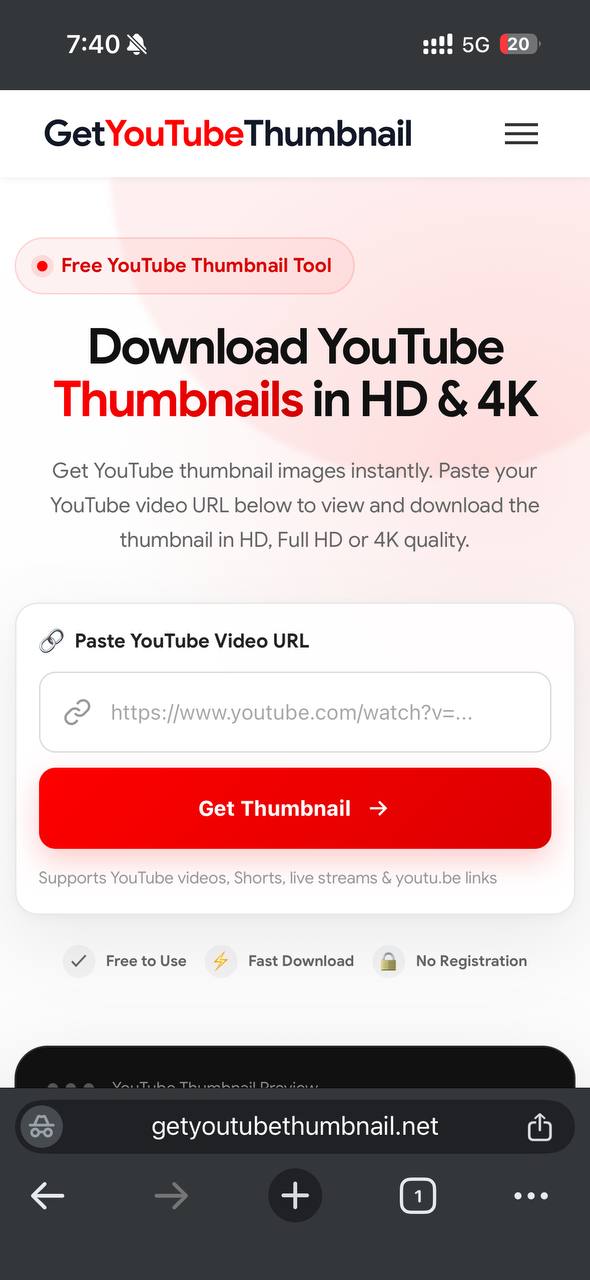
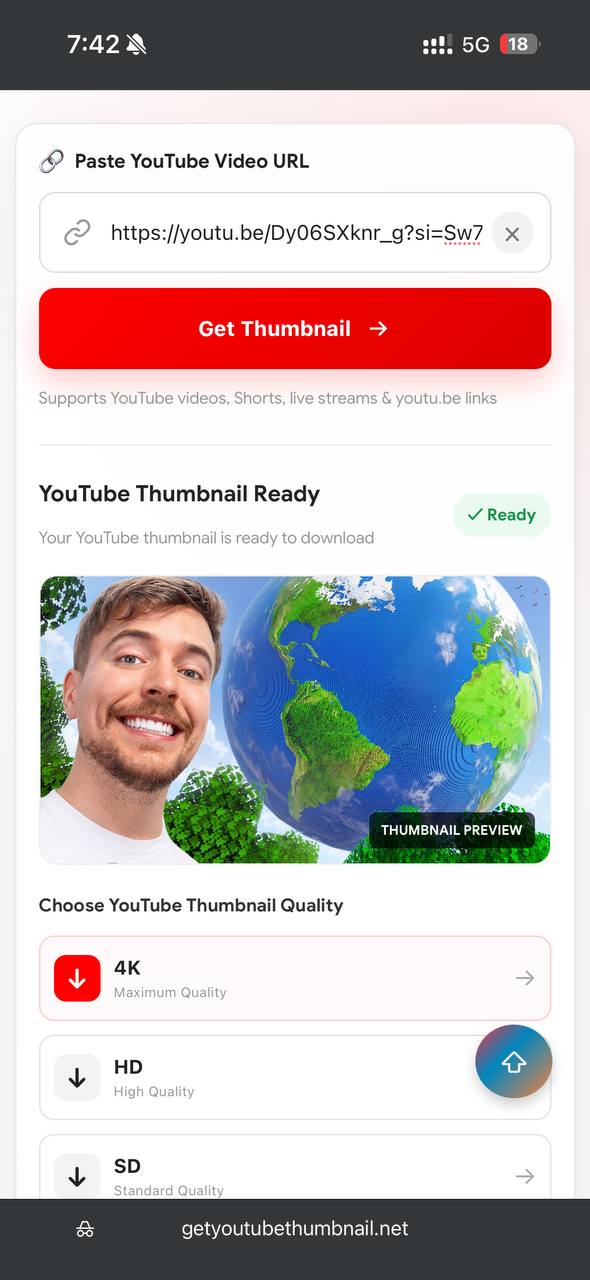
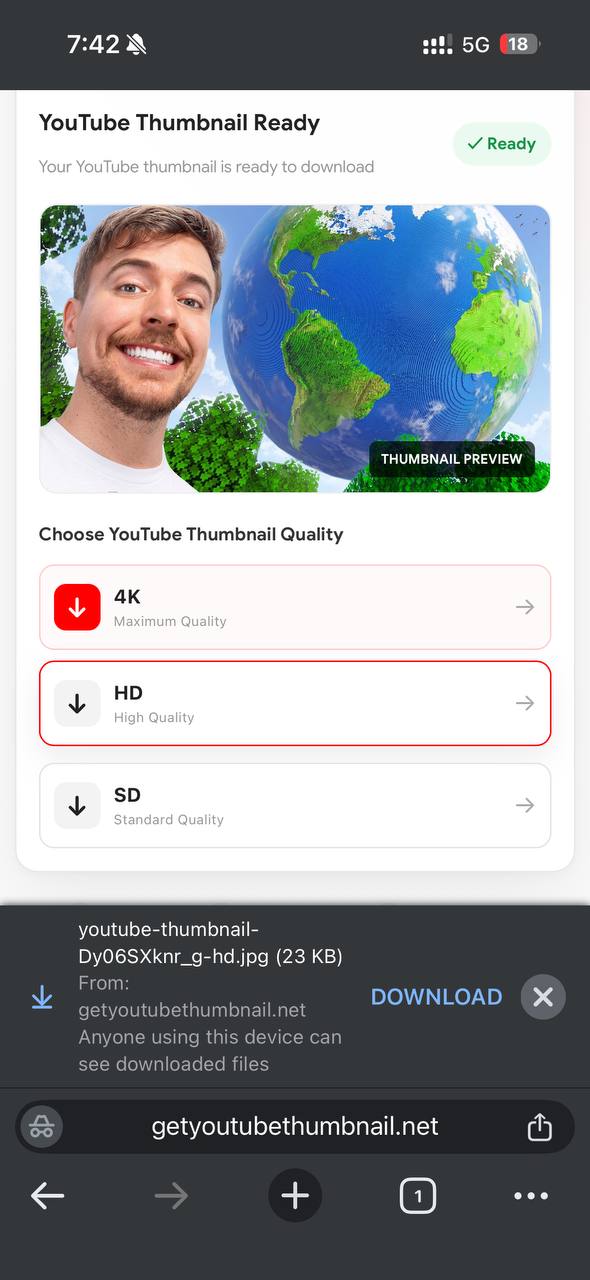
Get YouTube Thumbnail is perfect for regular YouTube videos, Shorts, live streams and youtu.be links. Depending on the source video, you may download available thumbnail images in SD, HD, Full HD and higher resolutions such as 4K. Works directly in your browser and does not require an account or complicated application installation. Whether you need a YouTube thumbnail for a presentation, blog post, video reference, design project or personal use, you can quickly view and save the available thumbnail image. Simply paste the YouTube video URL, click Get Thumbnail, preview the result and download the preferred image.
YouTube Thumbnail Downloader Information
| Feature | Details |
|---|---|
| Tool Name | Get YouTube Thumbnail |
| Purpose | View and download YouTube thumbnail images |
| Supported Content | YouTube Videos, Shorts & Live Streams |
| Thumbnail Quality | SD, HD, Full HD & 4K where available |
| Thumbnail Sizes | Multiple available resolutions |
| Input | YouTube Video URL |
| Supported Links | YouTube.com & youtu.be |
| Download Format | JPG Image |
| Registration | Not Required |
| Cost | Free |
| Device Support | Mobile, Tablet, Desktop & Laptop |
| Internet Required | Yes |
Features of Our YouTube Thumbnail Downloader
YouTube Thumbnail Downloader makes it easy to view and download thumbnail images from YouTube videos. Simply paste a supported YouTube video URL, preview the available thumbnail, and choose the quality or size you want. Our tool is designed to provide a quick, simple, and convenient way to download YouTube thumbnails without registration or complicated software.
HD & 4K YouTube Thumbnail Quality
Get YouTube thumbnail images in high quality whenever the source video provides a higher-resolution thumbnail. You can choose from available options such as HD, Full HD, and 4K to get the best possible image quality for your needs.
Instant YouTube Thumbnail Preview
Preview the YouTube thumbnail image before downloading it. After entering a valid YouTube video URL, the tool displays the available thumbnail so you can check the image and decide which version you want to save.
Multiple Thumbnail Sizes
Our YouTube Thumbnail Downloader provides access to different available thumbnail resolutions and sizes. Whether you need a smaller image for quick use or a high-quality thumbnail for a project, you can select the option that best fits your requirements.
Download YouTube Thumbnail Images
Downloading a YouTube thumbnail is simple. Paste the video URL, click the Get Thumbnail button, preview the result, and select your preferred download quality. The process is designed to make saving a YouTube thumbnail image quick and straightforward.
Supports YouTube Video URLs
The tool supports commonly used YouTube links, including standard YouTube video URLs and youtu.be links. You can use the downloader to retrieve thumbnail images from supported YouTube videos without manually searching through image files or page source code.
YouTube Shorts Thumbnail Support
You can also use the YouTube thumbnail downloader with supported YouTube Shorts links. Simply provide the Shorts URL and, when a thumbnail is available, the tool can display the corresponding YouTube thumbnail image for preview and download.
Live Stream Thumbnail Support
Supported YouTube live stream URLs can also be used to retrieve available thumbnail images. This makes the tool useful for different types of YouTube content, including regular videos and live streams.
Free YouTube Thumbnail Download
Our YouTube Thumbnail Downloader is available to use for free. You can view and download available YouTube thumbnail images without creating an account or completing a registration process.
No Registration Required
You do not need to create an account to use the tool. Simply open the YouTube Thumbnail downloader, paste your video URL, and retrieve the available thumbnail image directly from your browser.
Fast Thumbnail Retrieval
Get your YouTube thumbnail quickly by entering the video URL and submitting it through the downloader. The simple interface reduces unnecessary steps and lets you move from the video link to the thumbnail preview in just a few clicks.
Works on Mobile and Desktop
The YouTube Thumbnail Downloader works directly in a web browser, making it convenient to use on smartphones, tablets, laptops, and desktop computers. No separate application installation is required to access the thumbnail tool.
Simple and Easy to Use
Downloading a YouTube thumbnail image does not require technical knowledge. Paste the YouTube video URL, select Get Thumbnail, preview the available image, and choose the desired quality or size to download it.
| Feature | Our YouTube Thumbnail Tool | Manual Download |
|---|---|---|
| YouTube Thumbnail Preview | ✔ | Limited |
| Download YouTube Thumbnail | ✔ | Manual |
| HD Thumbnail | ✔ | Depends |
| Full HD Thumbnail | ✔ | Depends |
| 4K Thumbnail | ✔ | Depends |
| Multiple Thumbnail Sizes | ✔ | Manual |
| YouTube Video Support | ✔ | ✔ |
| YouTube Shorts Support | ✔ | Manual |
| Live Stream Support | ✔ | Manual |
| youtu.be Links | ✔ | Manual |
| No Registration | ✔ | ✔ |
| Free to Use | ✔ | ✔ |
| Works on Mobile | ✔ | ✔ |
| Works on Desktop | ✔ | ✔ |
| Software Installation Required | No | No |
| Quick Thumbnail Retrieval | ✔ | X |
Benefits of Using Our YouTube Thumbnail Downloader
Our YouTube Thumbnail Downloader provides a simple way to view and download YouTube thumbnail images from supported videos. Instead of manually searching for thumbnail files or inspecting a video's page source, you can paste the YouTube video URL and quickly access the available thumbnail image. The tool works directly in your browser and is designed for fast, convenient thumbnail downloading.
Quick YouTube Thumbnail Download
Downloading a YouTube thumbnail takes only a few simple steps. Paste the YouTube video URL into the downloader, click Get Thumbnail, preview the image, and select your preferred download option. This makes it easy to save a YouTube thumbnail image without complicated procedures.
High-Quality Thumbnail Images
Get YouTube thumbnail images in the highest available quality provided by the source. Depending on the video, you may be able to access HD, Full HD, or higher-resolution thumbnail images. Choosing a higher-quality thumbnail can be useful when you need a clear image for a project, presentation, website, or other personal use.
Different YouTube Thumbnail Sizes
The YouTube Thumbnail Downloader can provide access to different available thumbnail sizes and resolutions. You can choose the image quality that best suits your needs, whether you want a smaller thumbnail for quick use or a larger, high-quality YouTube thumbnail image.
Preview Before Downloading
Our tool lets you view the YouTube thumbnail before saving it. After entering a valid video URL, the available thumbnail is displayed in the preview area. This allows you to check the image first and choose the quality or size you want to download.
Supports YouTube Videos, Shorts & Live Streams
The tool is designed to work with supported YouTube videos, Shorts, and live stream links. You can also use common YouTube URL formats, including youtu.be links, making it convenient to retrieve thumbnail images from different types of YouTube content.
Free and No Registration Required
You can use our YouTube Thumbnail Downloader without creating an account or completing a registration process. The tool is available directly in your browser, allowing you to view and download available YouTube thumbnail images without unnecessary steps.
Works on Mobile and Desktop
Whether you are using a smartphone, tablet, laptop, or desktop computer, you can access the YouTube Thumbnail Downloader through a modern web browser. No additional software or application installation is required to retrieve a supported YouTube thumbnail.
Useful for Different Projects
YouTube thumbnail images can be useful for presentations, blog posts, video research, design references, content planning, and other projects. Our tool provides a convenient way to preview and save available thumbnail images whenever you need them.
How to Download a YouTube Thumbnail
Downloading a YouTube thumbnail is quick and simple with our free YouTube Thumbnail Downloader. You only need the URL of the YouTube video whose thumbnail you want to view or save. Follow the steps below to get your thumbnail image.
Copy the YouTube Video URL
Open YouTube and find the video you want to get the thumbnail from. Copy the video's URL from the address bar or use the YouTube sharing option to copy the link. You can use supported YouTube video URLs, including common youtu.be links.
Paste the YouTube URL
Return to our YouTube Thumbnail Downloader and paste the copied video URL into the input box. Make sure the complete URL is entered correctly so the tool can identify the video and retrieve its available YouTube thumbnail image.
Click Get Thumbnail
After entering the URL, click the Get Thumbnail button. The tool will process the video link and display the available thumbnail image in the preview area.
Preview the YouTube Thumbnail
Check the YouTube thumbnail displayed in the preview section. This lets you confirm that the correct thumbnail has been detected before downloading the image.
Choose the Thumbnail Quality
Select your preferred available quality or size. Depending on the source video, options may include SD, HD, Full HD, or higher-resolution thumbnail images. Choose the option that best matches how you plan to use the thumbnail.
Download the YouTube Thumbnail
Click the download option for your selected quality to save the YouTube thumbnail image to your device. The downloaded image can then be used for supported personal projects, references, presentations, or other purposes where you have the appropriate rights to use the image.
Pros and Cons of Using a YouTube Thumbnail Downloader
Pros
- Quickly view available YouTube thumbnail images.
- Download YouTube thumbnails without manually searching through page source code.
- Supports different available thumbnail sizes and resolutions.
- HD and higher-quality options may be available depending on the source video.
- Simple URL-based thumbnail retrieval process.
- Works directly in a web browser.
- No separate application installation is required.
- No registration is required to use the basic thumbnail tool.
- Works on smartphones, tablets, laptops, and desktop computers.
- Useful for quickly checking and saving YouTube thumbnail images.
Cons
- Available thumbnail quality depends on the source YouTube video.
- Not every video will provide every possible thumbnail resolution.
- The tool requires an internet connection to retrieve thumbnail images.
- Some YouTube URLs or content may not be supported.
- You should respect the copyright and usage rights associated with downloaded images.
How Our YouTube Thumbnail Downloader Works
Our YouTube Thumbnail Downloader uses the YouTube video URL you provide to identify the corresponding video thumbnail image. Once the link is submitted, the available thumbnail can be displayed for preview and download.
Enter a YouTube Video Link
Start by entering a supported YouTube video URL into the downloader. The tool accepts common YouTube link formats and can also support youtu.be links.
Retrieve the Thumbnail Image
After you click Get Thumbnail, the tool checks the submitted video link and retrieves the available YouTube thumbnail image for that video.
Select Your Preferred Size
When multiple thumbnail resolutions are available, you can choose the quality that suits your needs. Higher-resolution options are useful when you need a larger and clearer YouTube thumbnail image.
Save the Thumbnail
Once you have selected the desired option, download the YouTube thumbnail directly to your device. The process requires no complicated software or technical knowledge.
Conclusion
Our YouTube Thumbnail Downloader provides a simple way to view and download YouTube thumbnail images from supported YouTube videos. Just paste the video URL, click Get Thumbnail, preview the available image, and choose your preferred quality or size. Depending on the source video, you may be able to access HD, Full HD, or higher-resolution thumbnail images.
Whether you need a YouTube thumbnail image for a presentation, design project, blog post, video research, or personal reference, our free online tool makes the process quick and convenient. It works directly in your browser on mobile phones, tablets, laptops, and desktop computers without requiring additional software or registration.
For the best results, always use a valid YouTube video URL and remember that available thumbnail quality and sizes can vary depending on the source video. When downloading or using a thumbnail, make sure you have the appropriate rights or permission to use the image.
Author: Admin – Get YouTube Thumbnail
Last Updated: September 15, 2026
If you have any questions, feedback, or suggestions about our YouTube Thumbnail Downloader, feel free to contact us. We are happy to help with questions related to using the thumbnail tool.